Pay for fuel at T/A - Jacksonville I-10 with the FuelPay app
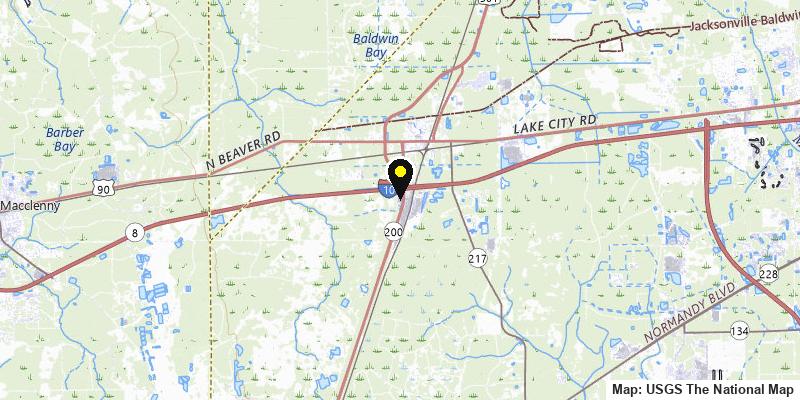
Accepts ONRAMP · 1024 US 301 South · Baldwin, FL · I-10, Exit 343
Address
1024 US 301 SouthBaldwin, FL 32234
Phone
Highway and exit
I-10, Exit 343
Fuel
Diesel
Payment
ONRAMP, through the FuelPay app. Eligible purchases need no physical payment card.
Amenities
At the pump
- High-flow diesel lanes
- Diesel lanes: 6
Parking
- Truck parking spaces: 90
Driver comfort
- Chapel
- Driver Lounge
- Laundry
- Medical Services
- Pet Area
- Showers
Truck services
- Fax and Scanning
- Oil Change
- Truck Scale
- Tire Service
- Transflo Scanning
- Truck Repair
Food and store
- ATM
- Check Cashing
- Restaurant
- Travel Store
How to pay here
ONRAMP is proud to offer fast, secure digital payment right at the high-flow diesel dispenser. Drivers pay in the FuelPay app, with no card to swipe and no trip inside.
- Sign in to FuelPay with the access your fleet provides.
- Start the purchase in the app and receive a one-time fueling code.
- Enter the code at the pump as this site's pump prompts.
Your fleet needs an ONRAMP account first. Fleets start here.
Get the ONRAMP FuelPay app
Contact
Questions about paying here?
Tell us where your drivers fuel and we will confirm how ONRAMP works on your routes.
Drivers: call (888) 835-4498 or email [email protected].